
|
|
Standard Reports
Standard Reports allow users to generate offline reports that are fixed format and parameter-driven.
PowerForm has a set of standard reports available such as the Task, Template Log Report, User Login Audit Report, and User History Audit Report.
All standard reports are maintained by the Administrator in the Manage Standard Reports screen. Administrators can add, modify, and delete standard reports as needed. Refer to the topic 'How to Manage Standard Reports' for instructions on how to add, update, delete, and download a standard report.
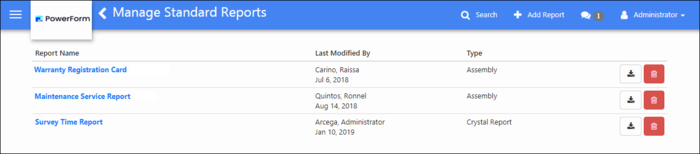
Clients having more sophisticated report requirements or have specific formats and layouts can request to have their reports to be designed by the PowerForm Team.
Standard reports can be designed using the following reporting tools, Crystal Reports, Jasper Reports, .NET assembly, or Excel. The output of the report can be in the following formats:
|
EXPORT FORMAT OPTION for JRXML
|
EXPORT FORMAT OPTION for RPT
| |
|
|
|
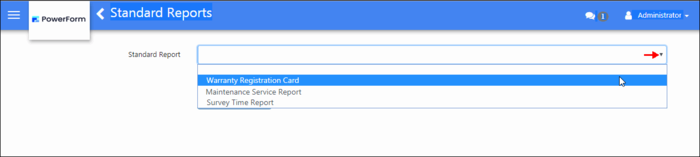
Once a report has been added in the Manage Standard Reports screen, it becomes available to the users whose roles are permitted to have access to the report. Users can generate the report in the Standard Reports screen. See the topic 'How to Generate a Standard Report' screen.
This section contains the following topics: