
|
|
How to Delete a Standard Report
A standard report can be deleted anytime. When a report is deleted in the Manage Standard Report screen, the report will be gone in the Standard Reports screen.
To delete a standard report:
1. On the menu bar, click the ‘Menu’ button and select Manage Reports.
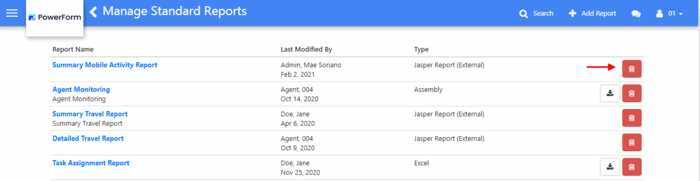
2. Click the ‘Delete’ button of the report record to be deleted.
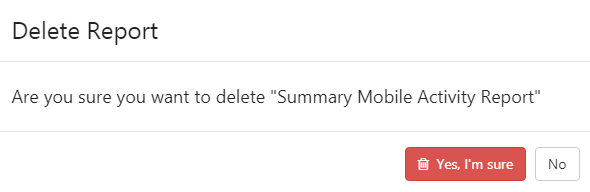
3. In the Delete confirmation pop-up, click Yes, I'm sure.
`