
|
|
How to Generate a Standard Report
A user's role will need to be given one of the following permissions be able to display the Standard Reports screen: Manage Standard Reports (Configuration Tab) or Standard Reports (Features Tab) . See the topic 'How to Give a User's Role Permission to Manage and Generate Reports'.
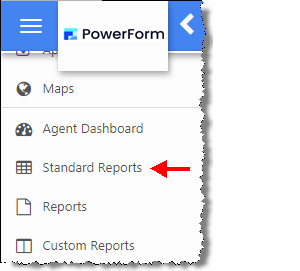
The Standard Reports screen can be displayed by clicking Standard Reports under the More menu.
The Standard Reports screen displays the following information:
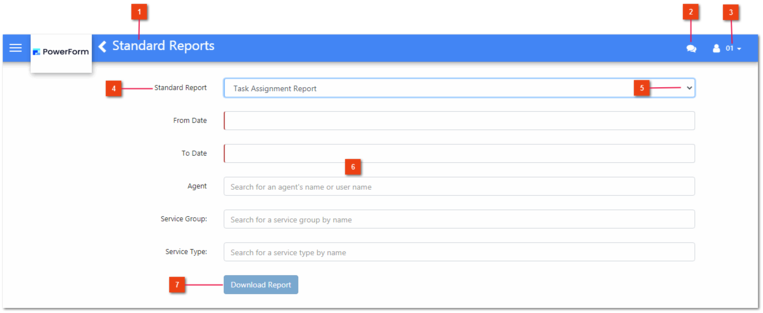


Refer to the following sections for instructions on how to generate the following Standard Reports:
How to Generate the Task Assignment Report
How to Generate the Task Aging Report