
|
|
How to Download a Standard Report
The download button in the Manage Standard Reports allows users to download a copy of the uploaded report file. Downloaded report files can be modified and uploaded back to the system.
Only the following report types can be downloaded: Crystal Reports (.rpt), Custom Assembly (.dll), and Excel (.zip).
To download a standard report file:
-
On the menu bar, click the
 menu icon and select Manage Standard Reports.
 -
Click the Download button of the report type to be downloaded.
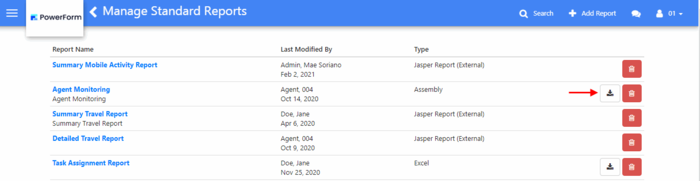
3. In the Save As screen, choose the location where the file will be saved then click the Save button.
-
The extension of the downloaded file depends on the Type of the report file being downloaded.